Big Brands That Trust the 綠巨人 GDPR Cookie 同意條 App


Our app helps your store follow the latest ePrivacy compliance laws.

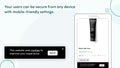
Adjust the cookie bar's place for phones, computers, or tablets.

Start using our app without any coding. It's quick to set up.

Localize the cookie bar to fit your store's language.

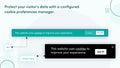
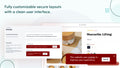
Make the app look like your site. Pick colors, fonts, and sizes.

Choose who sees the bar: limit visibility to certain areas or display the bar to everyone.

Track visits and cookie choices, monthly or overall.

Make the cookie banner match your site's look.
Users can sign up, see their orders, and check their details.

See reports on the cookies you use and their details.

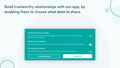
Let users know about cookie types and decide their preferences.
Users can ask to see or remove their data from their accounts.

Change the cookie options you show to users.
Perfect for start-ups
 Any development store can use this app for free until they upgrade their account to a paid Shopify plan
Perfect for growing teams
Geo-Targeting
Adjustable Colors
Cookie Statistics
No Copyright Text
CCPA & GDPR/VCPA Compliant
My Account Settings
Export/Delete GDPR Requests
Perfect for small businesses
 All Starter Plan Features
Cookie Preference Management
Scan Cookie
Define New Cookie
Edit Current Cookie Categories
All Starter Plan Features
Cookie Preference Management
Scan Cookie
Define New Cookie
Edit Current Cookie Categories
*Introducing our Annual Plan - Upgrade your account to the Annual Plan and get 2 months free of charge!
Go to the app dashboard, click on the settings tab, and select the 'Display section'. Use the 'click here' button to access bar customization.
是的。在應用程式設定中,您可以啟用或停用您商店前端的這個欄位。
一般設定中,勾選方塊可讓您限制跟踪來自歐盟或加利福尼亞的用戶。
Under 'Settings' > 'Display', use the 'Theme style and position menu' to set the bar's location for desktop and mobile.
在“設置”>“顯示”中,使用HTML編輯器編輯文本。
Yes. In 'Settings' > 'Display' > 'Colors', you'll find a color selector option.