Big Brands That Trust the 헐크 GDPR 쿠키 동의 바 App


Our app helps your store follow the latest ePrivacy compliance laws.

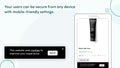
Adjust the cookie bar's place for phones, computers, or tablets.

Start using our app without any coding. It's quick to set up.

Localize the cookie bar to fit your store's language.

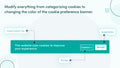
Make the app look like your site. Pick colors, fonts, and sizes.

Choose who sees the bar: limit visibility to certain areas or display the bar to everyone.

Track visits and cookie choices, monthly or overall.

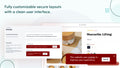
Make the cookie banner match your site's look.
Users can sign up, see their orders, and check their details.

See reports on the cookies you use and their details.

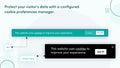
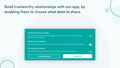
Let users know about cookie types and decide their preferences.
Users can ask to see or remove their data from their accounts.

Change the cookie options you show to users.
ePrivacy 법률은 고객 정보 처리에 엄격한 기준을 정합니다. 우리 앱은 이러한 기준을 충족시켜주는 데 도움이 됩니다.
비즈니스에 맞는 쿠키 동의 막대 모듈을 선택하거나 스토어의 지리적 위치에 맞게 사용자 정의할 수 있습니다.
고객 데이터를 보호하고 안전한 쇼핑 환경을 보장합니다.
저희 앱은 모든 기기에서 원활하게 작동하여 최대 2,000만 달러의 벌금을 방지합니다.
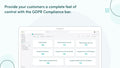
컴플라이언스 배너를 사용하면 ePrivacy 정책을 완전히 준수하기에 한 발 더 가까워지고, 고가의 위반을 피할 수 있습니다.
Perfect for start-ups
 Any development store can use this app for free until they upgrade their account to a paid Shopify plan
Perfect for growing teams
Geo-Targeting
Adjustable Colors
Cookie Statistics
No Copyright Text
CCPA & GDPR/VCPA Compliant
My Account Settings
Export/Delete GDPR Requests
Perfect for small businesses
 All Starter Plan Features
Cookie Preference Management
Scan Cookie
Define New Cookie
Edit Current Cookie Categories
All Starter Plan Features
Cookie Preference Management
Scan Cookie
Define New Cookie
Edit Current Cookie Categories
*Introducing our Annual Plan - Upgrade your account to the Annual Plan and get 2 months free of charge!
Go to the app dashboard, click on the settings tab, and select the 'Display section'. Use the 'click here' button to access bar customization.
네. 앱 설정에서 상점의 프런트 엔드에서 바를 활성화하거나 비활성화 할 수 있습니다.
일반 설정에서 체크 박스를 사용하여 추적을 EU 또는 캘리포니아 사용자로 제한할 수 있습니다.
Under 'Settings' > 'Display', use the 'Theme style and position menu' to set the bar's location for desktop and mobile.
‘설정’ > ‘디스플레이’에서 HTML 편집기를 사용하여 텍스트를 편집합니다.
Yes. In 'Settings' > 'Display' > 'Colors', you'll find a color selector option.