Big Brands That Trust the Hulk GDPR Cookie Zustimmungsleiste App


Our app helps your store follow the latest ePrivacy compliance laws.

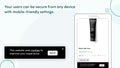
Adjust the cookie bar's place for phones, computers, or tablets.

Start using our app without any coding. It's quick to set up.

Localize the cookie bar to fit your store's language.

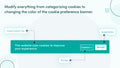
Make the app look like your site. Pick colors, fonts, and sizes.

Choose who sees the bar: limit visibility to certain areas or display the bar to everyone.

Track visits and cookie choices, monthly or overall.

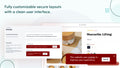
Make the cookie banner match your site's look.
Users can sign up, see their orders, and check their details.

See reports on the cookies you use and their details.

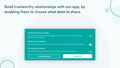
Let users know about cookie types and decide their preferences.
Users can ask to see or remove their data from their accounts.

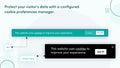
Change the cookie options you show to users.
ePrivacy-Gesetze setzen strenge Standards für den Umgang mit Kundendaten. Unsere App hilft Ihnen, diese Standards einzuhalten.
Wählen Sie eine Cookie Consent Bar, die zu Ihrem Unternehmen passt, oder passen Sie sie an den Standort Ihres Geschäfts an.
Schützen Sie Kundendaten und sichern Sie ihnen eine sichere Einkaufsumgebung zu.
Unsere App funktioniert nahtlos auf allen Geräten und verhindert potenzielle Strafen von bis zu 20 Millionen US-Dollar.
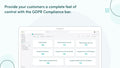
Mit unserem Compliance-Banner kommen Sie der vollständigen Einhaltung der ePrivacy-Richtlinie näher und vermeiden kostspielige Verstöße.
Perfect for start-ups
 Any development store can use this app for free until they upgrade their account to a paid Shopify plan
Perfect for growing teams
Geo-Targeting
Adjustable Colors
Cookie Statistics
No Copyright Text
CCPA & GDPR/VCPA Compliant
My Account Settings
Export/Delete GDPR Requests
Perfect for small businesses
 All Starter Plan Features
Cookie Preference Management
Scan Cookie
Define New Cookie
Edit Current Cookie Categories
All Starter Plan Features
Cookie Preference Management
Scan Cookie
Define New Cookie
Edit Current Cookie Categories
*Introducing our Annual Plan - Upgrade your account to the Annual Plan and get 2 months free of charge!
Go to the app dashboard, click on the settings tab, and select the 'Display section'. Use the 'click here' button to access bar customization.
Ja. In den App-Einstellungen gibt es eine Option, die Leiste auf der Startseite Ihres Shops zu aktivieren oder zu deaktivieren.
In den allgemeinen Einstellungen können Sie mithilfe von Kontrollkästchen das Tracking auf Benutzer aus der EU oder Kalifornien beschränken.
Under 'Settings' > 'Display', use the 'Theme style and position menu' to set the bar's location for desktop and mobile.
In 'Einstellungen' > 'Anzeige' verwenden Sie den HTML-Editor, um den Text zu bearbeiten.
Yes. In 'Settings' > 'Display' > 'Colors', you'll find a color selector option.